
Lexicographical Resources
The Lexica page allows you to enter a lemma and consult the lexicographical resources digitized by or linked to the TLG. As in the previous interface, searches use a selected lemma rather than unrestricted text.
1. Search for a lemma
- Enter a lemma in the search box at the top of the page.
- Select the appropriate language from the menu. The on-screen keyboard can be used for Greek input.
- Select the desired lemma from the suggestions when more than one analysis or form is available.
2. Lexica and morphological analysis
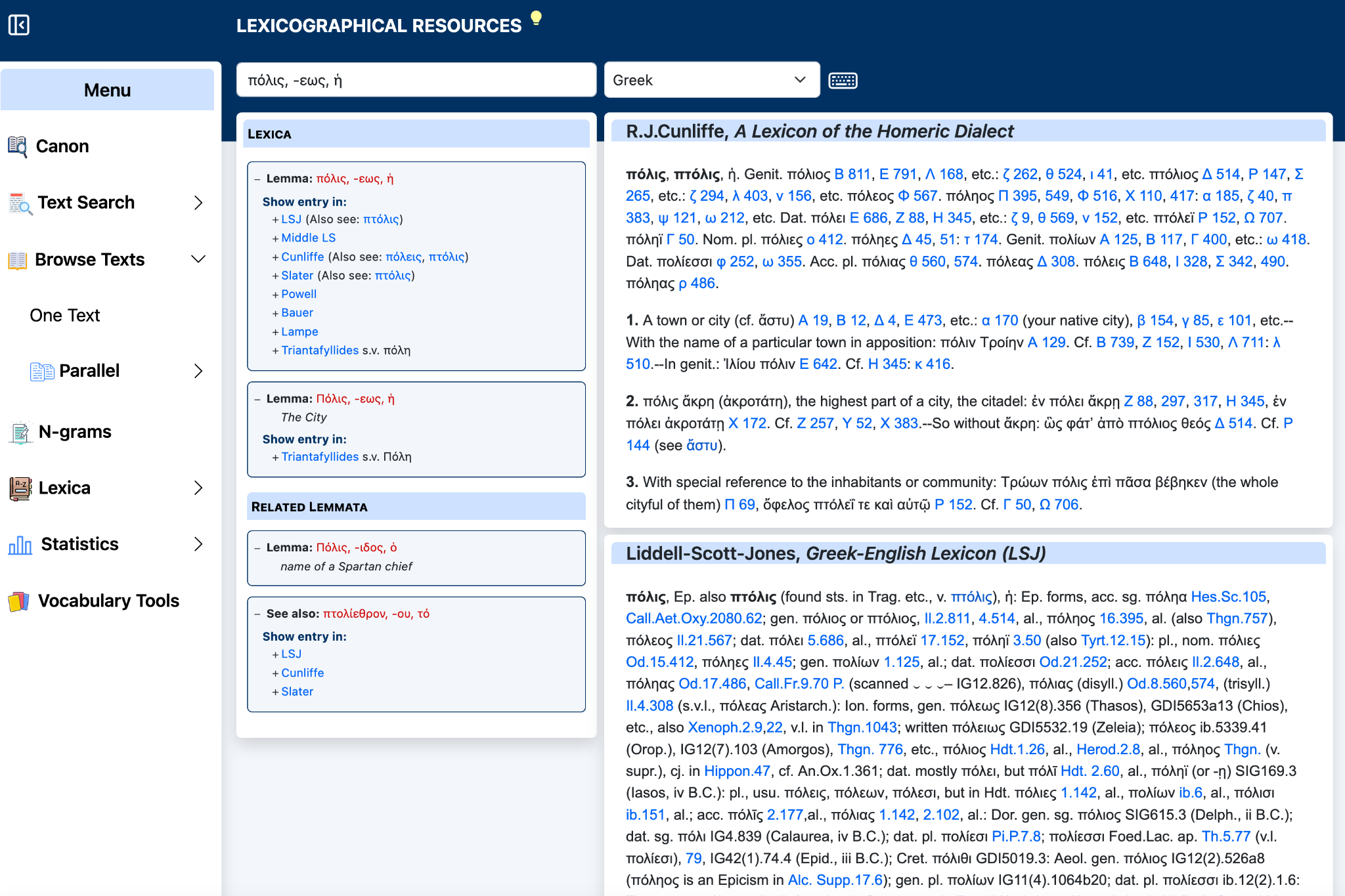
After a lemma is selected, the left panel displays the morphological analysis and the lexica in which the lemma can be found. Alternate or related forms may also be listed. In this example, the lemma πόλις is linked to resources including LSJ, Middle LS, Cunliffe, Slater, Powell, Bauer, Lampe, and Triantafyllides.
Click the name of a lexicon under Show entry in to display its entry in the main panel on the right.
3. View dictionary entries
The selected dictionary is displayed in the large panel on the right. This makes it possible to consult different lexica without leaving the Lexicographical Resources page.
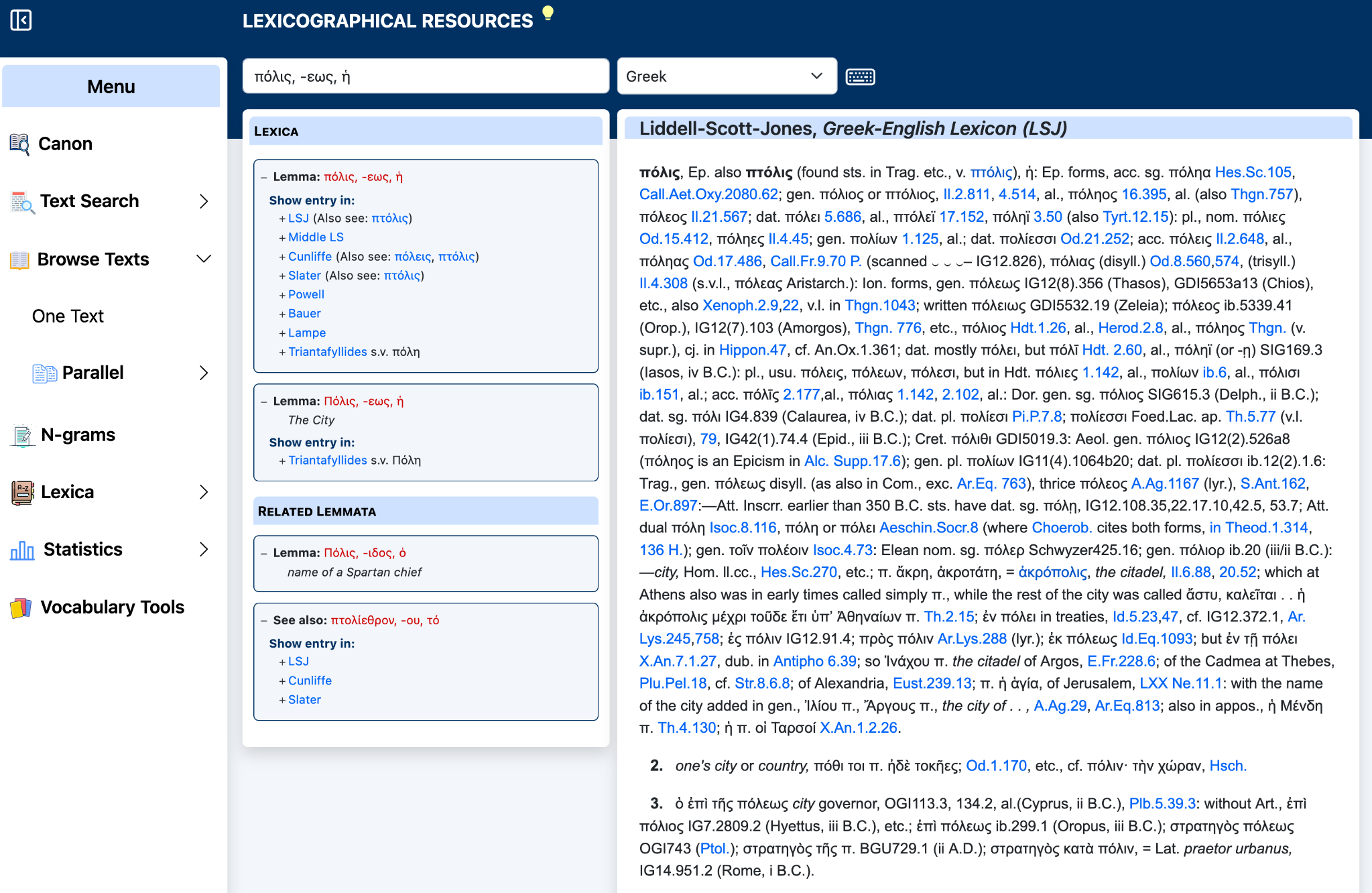
For example, selecting Cunliffe displays the corresponding entry from A Lexicon of the Homeric Dialect. Selecting LSJ displays the Greek-English Lexicon entry. Links and cross-references within dictionary entries remain available where provided.
5. Quick reference
| Control / Panel | Function |
|---|---|
| Search box | Enter a lemma. |
| Language menu | Choose the input language. |
| Keyboard | Enter Greek characters. |
| Lexica panel | See the morphological analysis and available dictionaries. |
| Dictionary panel | Read the selected entry without leaving the page. |
| Related Lemmata | Follow related forms and cross-references. |
Lexicon availability depends on the selected lemma; not every lemma occurs in every resource.